
For high school basketball programs
Run your whole program from one app.
Plays that move, practices that run on time, stats that keep working when the gym Wi-Fi doesn't, and one safe place for players and parents to stay in the loop.
Every team, coach, player and parent in your program. No per-seat fees.
Head coach
Runs the program and decides who sees what
Assistants
Permissions the head coach can switch on or off
Players
Their plays, workouts, film and schedule
Parents
Schedule and notices for their own child
Playbook
Plays your players can watch, not just read.
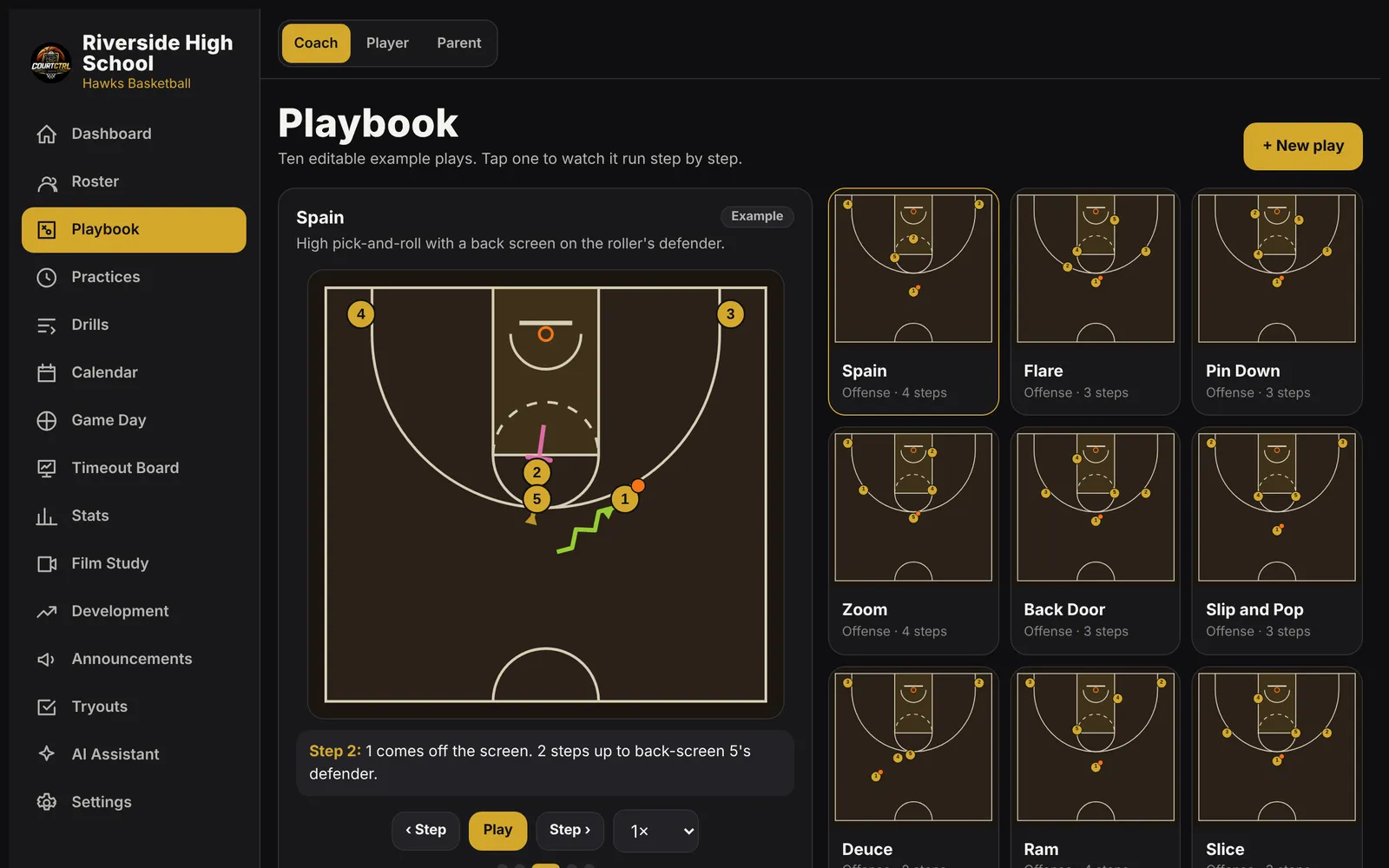
Draw a set once and CourtCtrl animates it step by step: cuts, screens, passes and dribbles drawn for you. Add teaching notes and a voice explanation, assign it, then quiz players on it.
- Half court and full court, offense and defense
- Ten example sets to start from: Spain, Flare, Pin Down, Zoom and more
- Print the playbook, save a play as a video, or share one play by link
Game day
Built for the bench, even when the Wi-Fi drops.
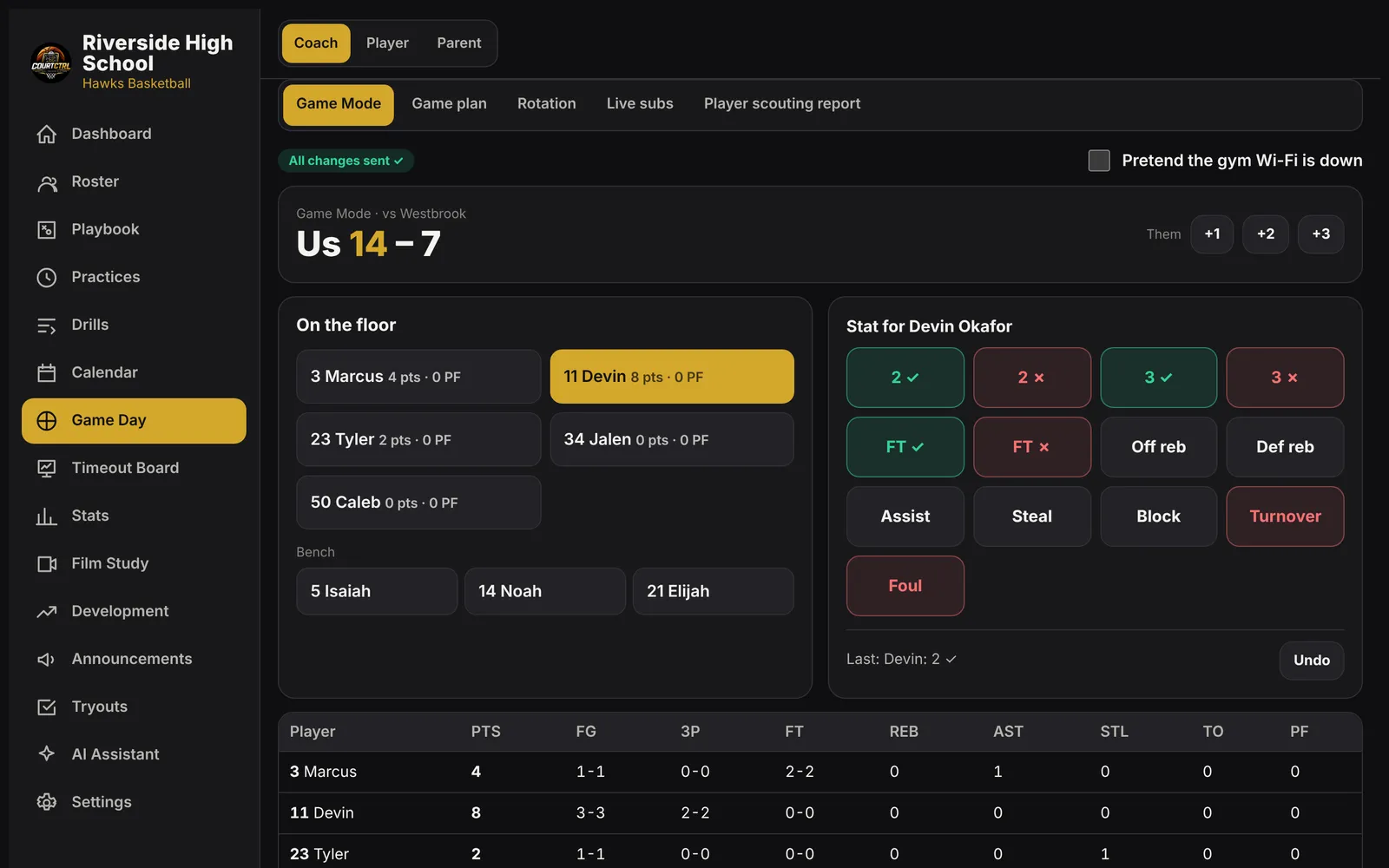
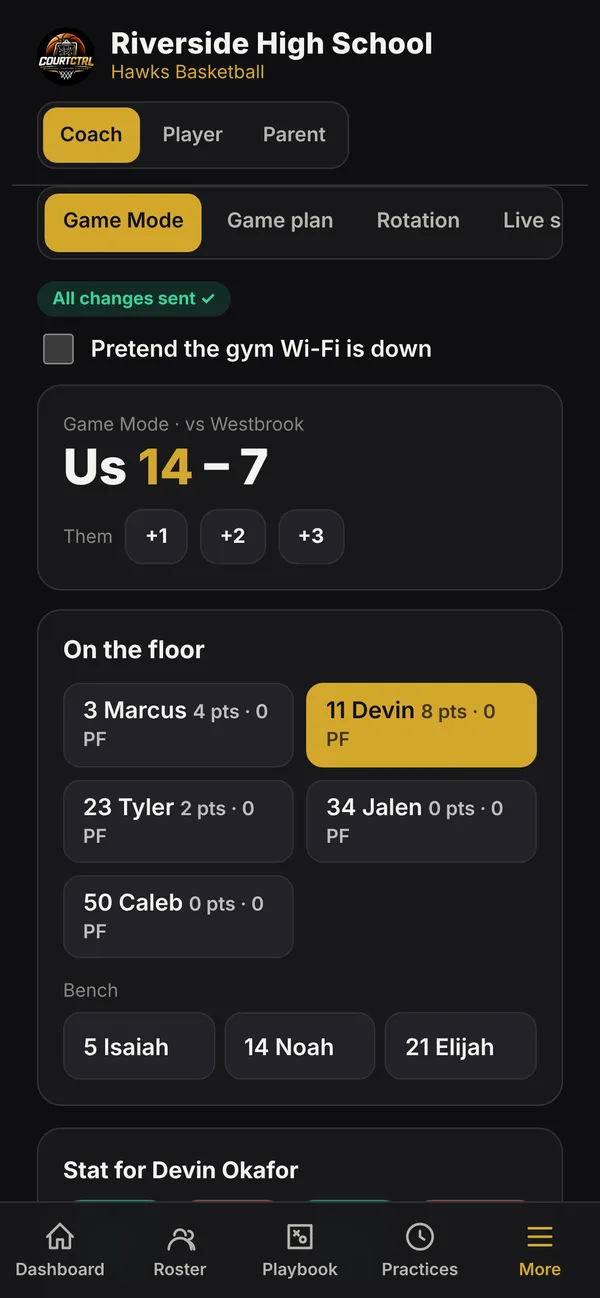
Gym Wi-Fi is unreliable, so Game Mode saves every stat on the tablet first and sends it when there's a connection. You'll always see how many changes are waiting.
Timeout Board
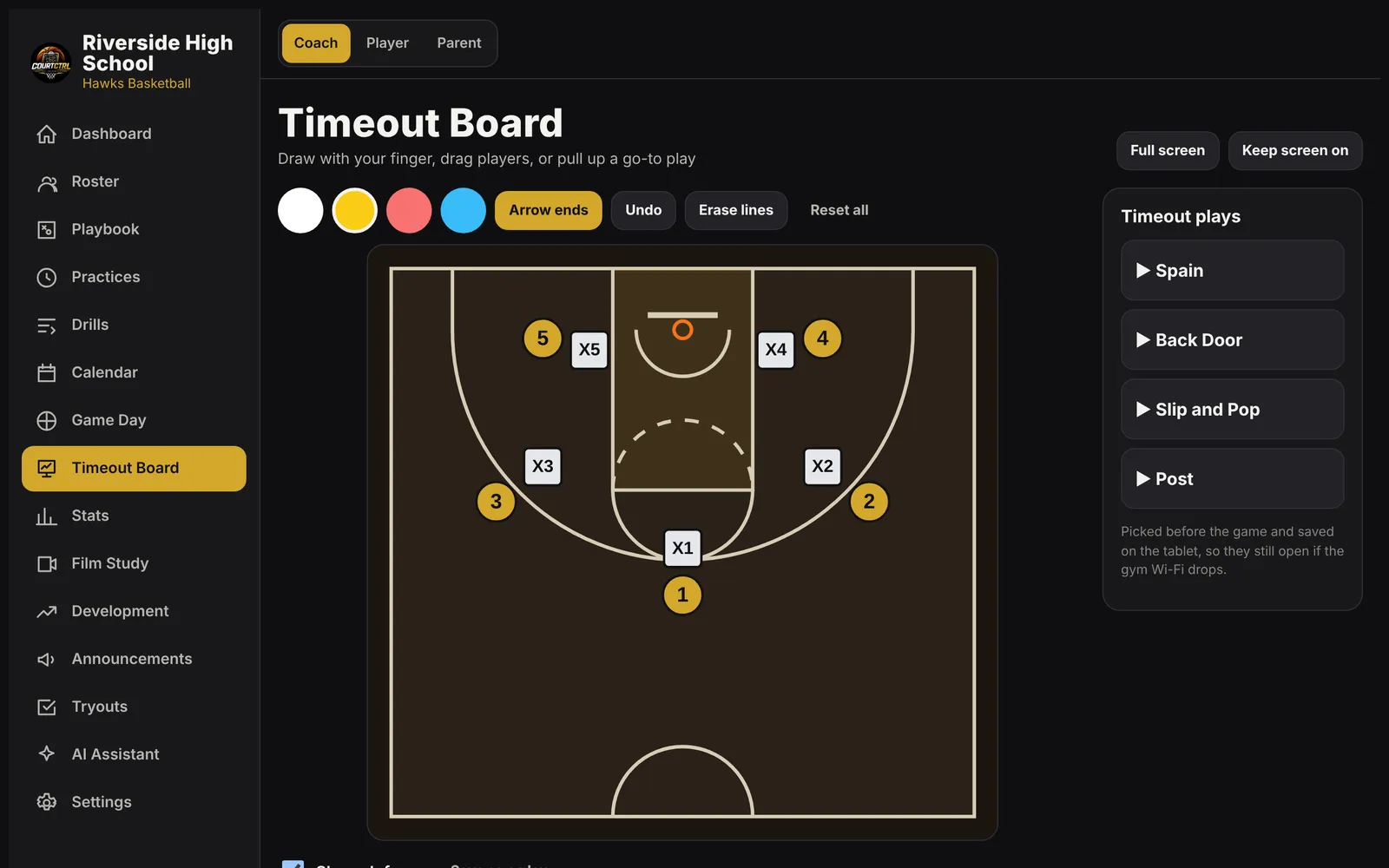
A full-screen court for the timeout huddle. Draw with a finger in four colors, drag players, or tap a go-to play and it runs.
Game Mode
- Tap a player, tap the stat: makes, misses, free throws, boards, assists, steals, blocks, turnovers, fouls
- Optional shot spot on the court for every shot, so shot charts build themselves
- Subs with the game clock; minutes are worked out for you
- Rotation planner and a printable bench sheet before the game
- Halftime notes and one-tap undo
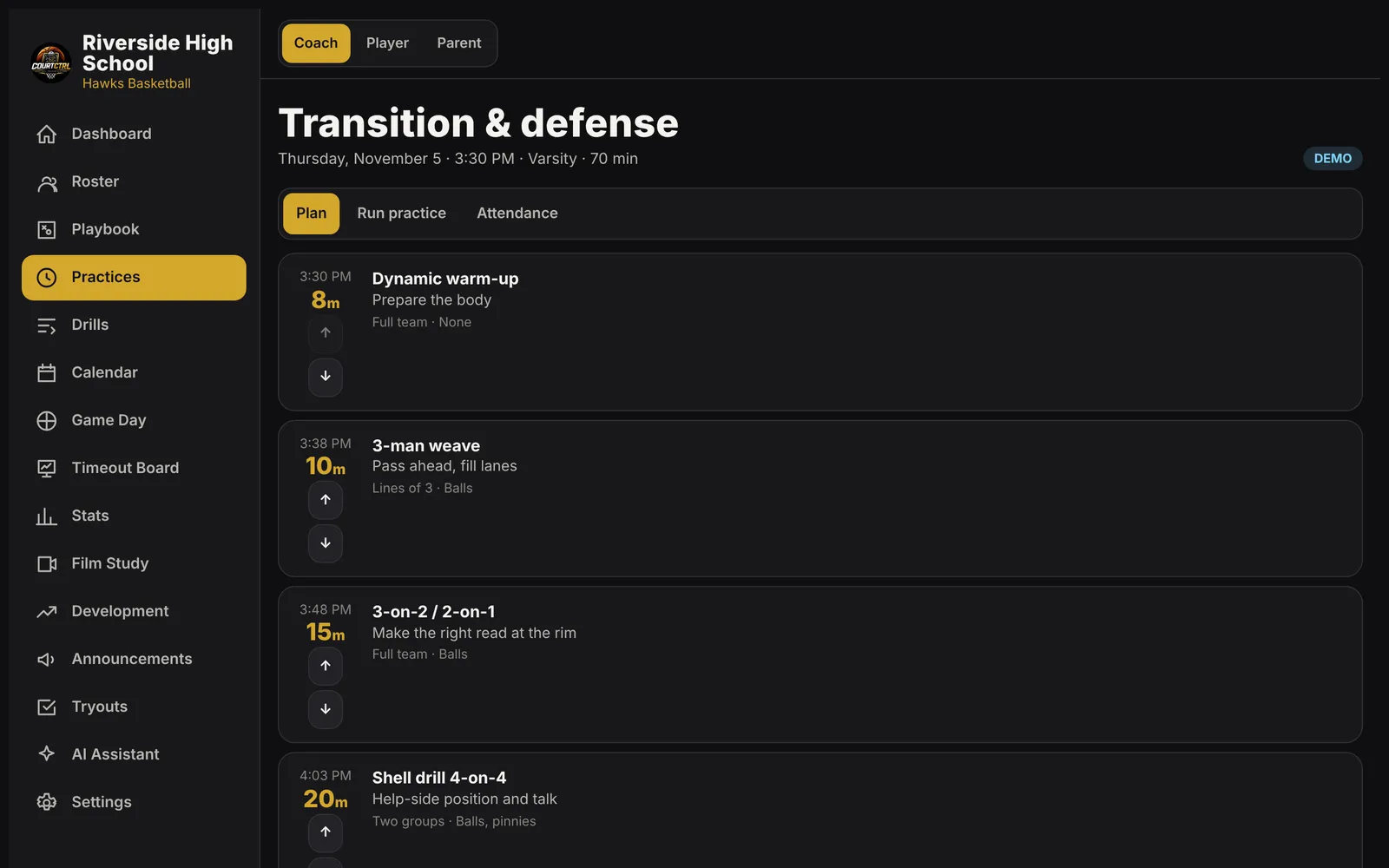
Practice
Plan it in minutes. Run it on the clock.
Start from templates for shooting, ball handling, defense, conditioning, rebounding, transition and team offense, or drop in drills from your own library. Take attendance and keep the practice clock running from the sideline.
Everything included
One subscription. The whole program.
Interactive playbook
Drag O's and X's, draw cuts, screens, passes and dribbles, then play it back step by step. Ten example sets included.
Play quizzes
Assign plays to players and check who actually knows them. Answers are graded on the server.
Practice planner
Build practices from templates or your own drills, reorder segments, run the practice clock and take attendance.
Drill library
Starter drills plus your own, each with a video link or a court diagram. Drop any drill into a practice.
Game Mode stats
Tap a player, tap the stat. Shot spots, subs and minutes worked out for you. Keeps working offline.
Timeout Board
A full-screen whiteboard for the bench tablet. Draw with a finger or pull up a go-to play.
Rotations & live subs
Plan minutes by quarter, print a bench sheet, then track who's on the floor during the game.
Shot charts & box scores
Makes and misses by spot and zone, season averages and team charts. Export to CSV.
Scouting reports
Share an opponent report with the team and see who has opened it.
Film study
Upload film or paste a link, add clickable time-stamped notes and questions for players.
Player development
Weekly goals, assigned workouts players tick off, shooting logs and private feedback.
Calendar
Practices, games and events by team, with staff-only items kept to staff.
Announcements
Team notices with read receipts and a full history. No private adult-to-student messaging.
Tryouts
Your own rubric, score every candidate, compare side by side, keep notes confidential.
Parent & player views
Players see their plays, workouts and schedule. Parents see only their own child.
Your school's colors
Your logo, colors and teams throughout. Installs to a phone or tablet home screen.
Built for working with students
Private by design.
Your athletic director will ask. Here's the answer.
Invite-only
No public sign-up. The head coach invites every account and can switch one off instantly.
Need-to-know access
Players see their own data, parents see their own child, staff notes stay with staff. Enforced by the database.
No private messaging
No one-to-one channel between adults and students. Team announcements keep a full, auditable history.
Your data, your call
Export everything your program holds, or delete a student's data, from Settings.
Pricing
One simple price.
Program
$499per program / year
- Every team in your program: varsity, JV, freshman
- Unlimited coaches, players and parents
- Every feature on this page
- Your school's logo and colors
- We help you load your roster and schedule
We email your school a secure invoice. Pay by card through Stripe. Renews once a year.
Questions coaches ask
Does it work when the gym Wi-Fi is bad?
Game Mode and the Timeout Board do. Open them once with a connection before tip-off and they keep working without one; stats are saved on the tablet and sent automatically when the connection comes back. The rest of the app (roster, calendar, film and so on) needs a connection.
Is it in the App Store?
No download needed. CourtCtrl runs in the browser on any phone, tablet or computer, and you can add it to the home screen so it opens like an app.
Who can see what?
Accounts are invite-only and set by the head coach. Players see only their own information, parents see only their linked child, and staff notes, evaluations and quiz answer keys stay with staff. Those rules are enforced by the database itself, not just hidden on screen.
Can coaches message students privately?
No. Communication is team announcements with a full history, so there's no private one-to-one channel between an adult and a student.
How do we pay?
Fill out the Get started form and we email your school a secure $499 invoice through Stripe that you can pay by card. Each year we send a renewal invoice. If your school needs a W-9 or a purchase order, say so in the form.
What does $499 cover?
One basketball program for a year: every team in it (varsity, JV, freshman), all your coaches, players and parents, and every feature on this page.
Can I bring my plays from FastDraw or Hudl?
Not automatically yet. Hudl, YouTube and other film links work in Film Study, and you can redraw your sets in the playbook. If you can send us an exported FastDraw file, we'll look at an import.
Is there an AI assistant?
There's an optional assistant for things like drafting practice plans. It's off unless it's turned on for your program, and its answers are labeled as suggestions for a coach to review.

Get your program on CourtCtrl.
Ready to go? We'll send a $499 invoice and set up your program with your logo, colors, roster and schedule. Want to look first? Ask for a demo. Prefer email?
pastorkendrick@yahoo.com